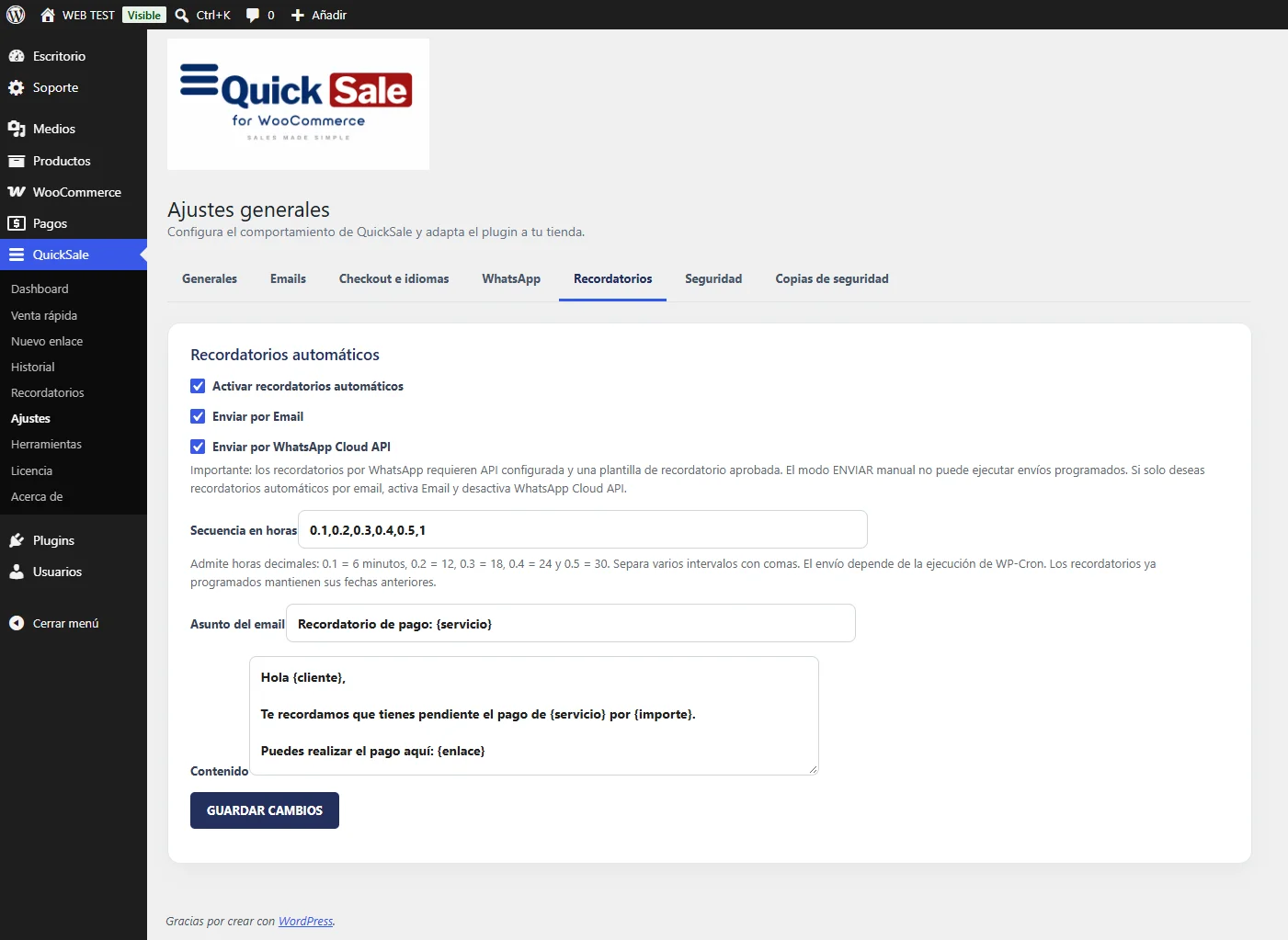
Go to QuickSale → Settings → Reminders to review global options, then QuickSale → Reminders to inspect scheduled or processed reminders.
Real QuickSale screenshot
02
Configure the sequence
Review the available reminder intervals and choose the follow-up sequence that fits your business. The installed plugin also supports reminder settings per payment request.
03
Select email or WhatsApp
Choose the delivery method supported by your configuration. Automatic WhatsApp reminders require a valid Cloud API connection and an approved reminder template.
04
Create a test request
Create an unpaid payment request with reminders enabled. Check that it appears in the Reminders screen and that the scheduled times are appropriate.
05
Stop after payment
Pay the test request and verify that future reminders are cancelled or no longer sent. Check QuickSale History if a reminder fails or is duplicated.